Order
Choose a drink and place a fictional pickup order.
 TOBY DIGITAL
03 / ORDERING SYSTEMS · SINGAPORE
Bring the customer’s order, the team’s preparation status and a daily summary into one workflow. We explore ordering tools around how your team actually serves customers.
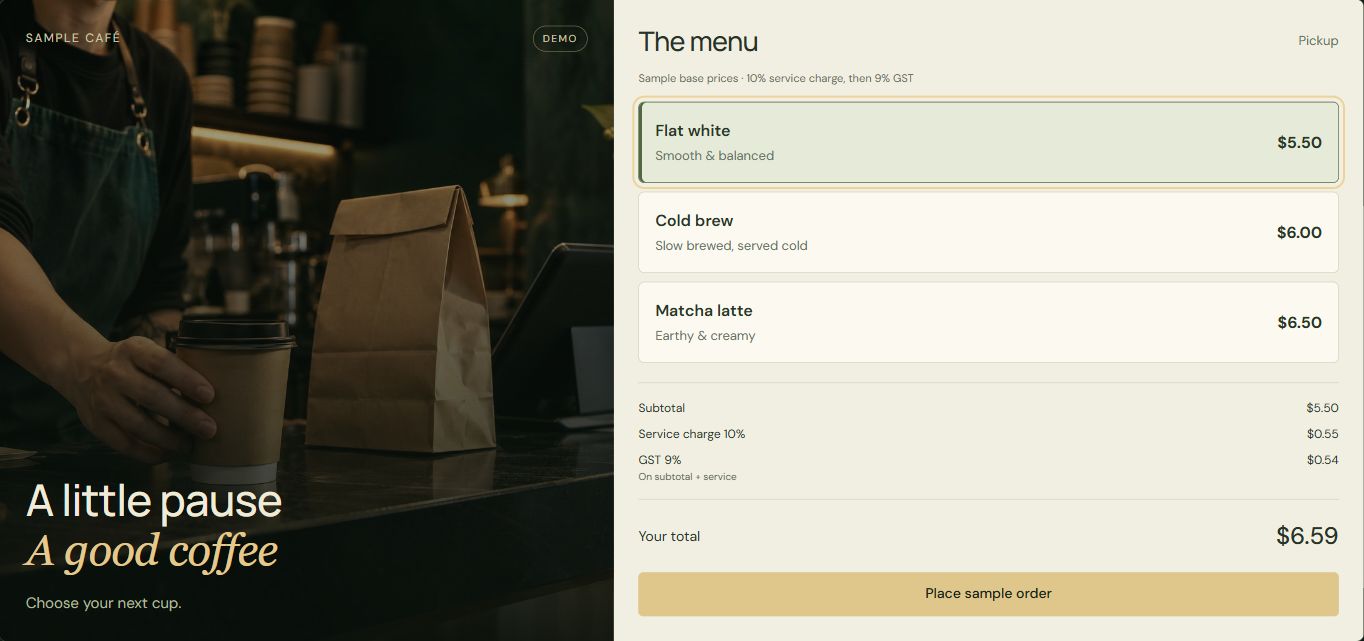
For cafés, takeaway counters and small order-based businesses that want a clearer handoff between taking an order and preparing it.
Choose a drink and place a fictional pickup order.
Move the order from new to preparing to ready.
See the sample quantity and total in the sales view.
THE WORKING EXAMPLE
The café example connects a customer menu, staff order board and daily sales view within one browser demo. Place an order, change its preparation status and inspect the resulting sample total.
BEFORE WE BEGIN
No. It demonstrates order capture, preparation status and a basic sales summary. A full POS may also need payments, receipts, refunds, inventory, tax settings and hardware connections.
Payment in this demo is simulated. A live checkout would need a payment provider and merchant setup. Card details should be handled through the provider’s supported payment flow.
Menu items, prices and preparation stages can be included in the agreed scope. Printers, existing POS systems and other devices need a separate compatibility check.
START WITH YOUR PROCESS
Tell us what you need. We’ll review the fit and discuss scope, timing and price with you.
Discuss a project